Juices menu
A juice shop's menu is long and colourful: fresh juices, fruit cocktails, smoothies, fruit salads and add-ons. A QR menu shows each one with its sizes and extras, and lets you switch off a fruit that is out of season in a single tap.
Pick a design for your menu
Tap Preview to try a design on a phone or a computer, then use it for your own menu.
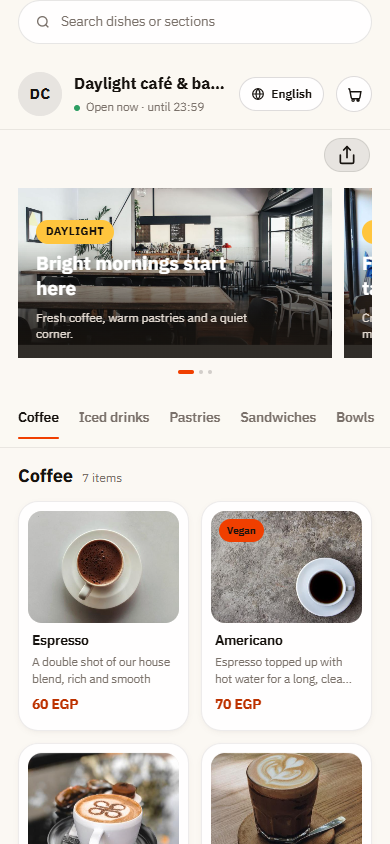
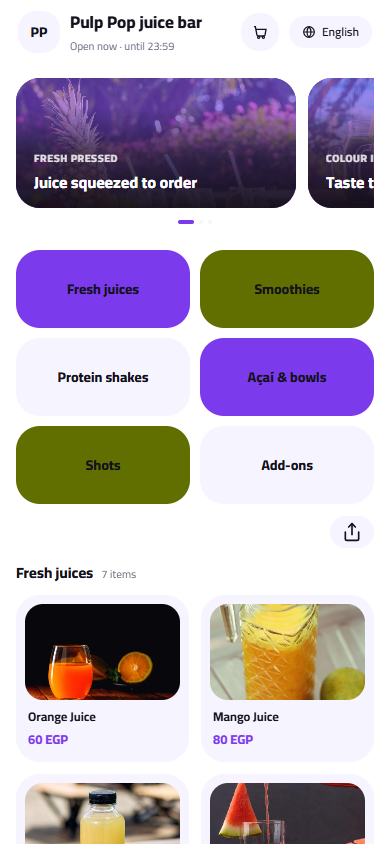
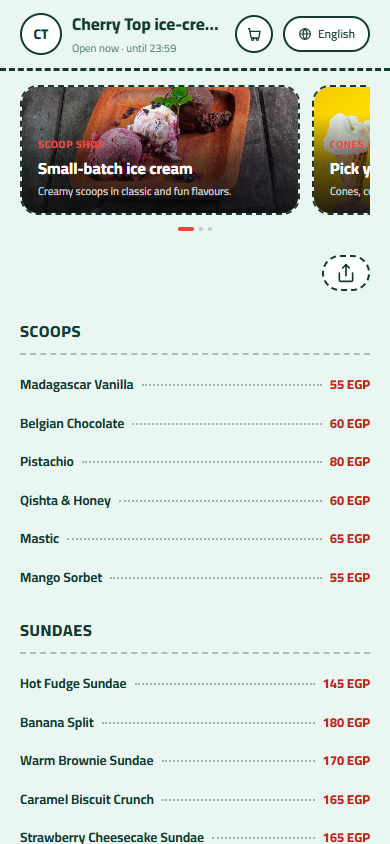
What your menu can do
- Sizes from a small cup to a full litre, each with its price
- Add-ons like milk, honey, ice cream or nuts, with their prices
- Seasonal juices like mango or strawberry switched on and off in seconds
- Bright, playful designs that match a juice counter
Common questions
How do I set juice sizes and prices?
Add a required Size option to each juice with values like small, medium, large and one litre, and give each its price. Guests see the right price for the size they choose, and when fruit prices go up you change one juice's sizes in a minute.
Can customers add milk, honey or ice cream?
Yes. Add an Add-ons group to the juices where it makes sense, such as milk with mango or banana, honey, a scoop of ice cream, nuts or extra fruit, each with its price. Set a maximum if you want to keep orders simple at busy times.
How do I handle fruits that are out of season?
Keep seasonal juices like mango, strawberry or guava on the menu and mark them sold out when the fruit is gone. They stay ready with their photo and prices, and come back in one tap when the season starts. Customers always see what you can actually make today.
Your menu, on every table today
Free to start. Add your items and prices, pick a design and print your QR code. Change anything whenever you like.